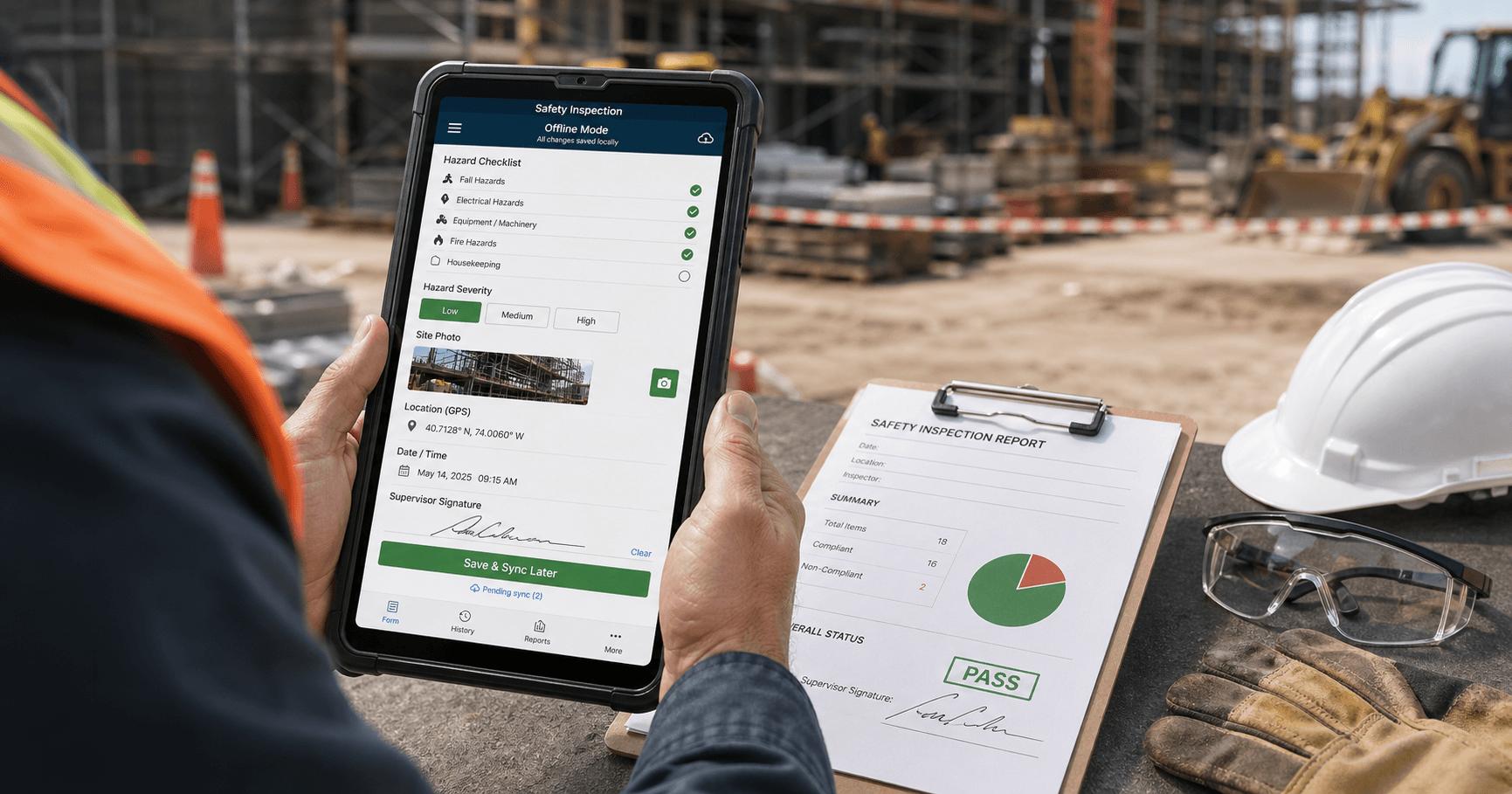
Safety management software that works offline for remote locations helps teams working without internet access conduct inspections, report hazards and incidents, and complete safety checklists. Depending on the provider, data may be stored locally on a device and synchronized with the central system when connectivity returns.
Offline capabilities are particularly useful in construction, mining, offshore oil and gas operations, and remote fieldwork where cellular coverage is unreliable. However, not every safety management software platform supports offline functionality, and available features vary by provider.
Why Remote Locations Need Offline Safety Software
Numerous industrial and field operations are conducted in areas that lack stable internet connections. Work can be done underground, in remote areas, or in locations that are hard to reach by cellular signals.
Using paper forms can help in these types of situations, but the use of paper forms involves problems with collecting, sharing, and reviewing the documentation. The appropriate version of software can offer a digital alternative that does not require a permanent internet connection.
Some examples of how to use offline software:
- Construction locations: Carrying out supervision of machinery, pointing out the dangers of precipitating objects, and checking whether the task safety list is followed.
- Mining: Recording hazardous situations, logging conclusions based on inspections, and producing safety reports in spots without reliable connectivity.
- Oil and gas plants: Performing equipment inspections, addressing safety issues which arise while conducting maintenance activities, and sending out safety reports.
- Industrial and faraway locations: Conducting safety inspections and documenting necessary actions to take place.
- Field operations: Recording the time of the visit, hazards found, and safety investigations performed.
Offline wording can be especially important when documentation cannot be produced until workers are back in the office and can lose important details of their work.
Key Features to Look For
The best solution depends on the work being performed, the devices employees use, and the safety procedures the organization needs to follow.
Offline Inspections and Safety Checklists
Choose software enabling authorized employees to download relevant forms and access materials required before operating without internet connection. Employees must be able to conduct inspections, take notes, and write down their answers.
Possible features can include:
- Ability to change lists of checks and inspection documents
- Mandatory fields to be filled in by an inspector
- Ability to add pictures if there is no internet connection
- Date and user ID
- Ability to document negative results and designate further action
Make sure the forms, documents, and pictures can be accessed offline.
Hazard and Incident Reporting
Employees require an efficient way of recording hazards and events in their workplace. Reporting that can function without the internet may enable them to input information, choose hazardous classes, note displacement area, and submit images for storage and retrieval.
Reporting on incidents should include all significant information like time and location of the event, involved parties, and actions undertaken, if applicable.
When dealing with any serious incidents, it is crucial that workers follow emergency measures and inform responsible employees immediately via available means of communication.
Risk Assessments
Risk assessment tools can help teams identify hazards, evaluate potential consequences, and document control measures before work begins. Check whether risk assessment templates and relevant reference materials can be accessed and completed offline.
Automatic Data Synchronization
When connectivity returns, some platforms automatically upload locally saved records to a central system. Others may require manual synchronization or specific user actions.
Before choosing a solution, ask how it handles failed uploads, duplicate records, conflicting edits, and interrupted connections. Confirm whether users receive a clear indication of which records have synchronized successfully.
Benefits for Remote Teams
When correctly used, offline security programs help businesses keep accurate records at several work stations.
The key advantages of the software include:
- Less paperwork: The digital documents reduce the necessity of translating written requirements into paper documents
- What is more, it provides consistent reporting: The use of standardized checklists
- inspection helps the staff to stick to necessary procedures
- It improves recordkeeping: The entries that are saved can contain required details for future examination
- Additionally, it enables better follow-up: The noted hazards and actions taken to eliminate them can be always accessed and analyzed after synchronization.
- Moreover, it gives more flexibility: The staff can be sure that they will be able to get a job done without the Internet connection
The listed benefits are achievable provided that the software configuration is satisfactory, and employees are trained for the use of the program and use it in practice.
How to Choose the Right Software
Before deciding to use safety management software that doesn’t need the internet, you should look into the following points:
- Check Offline Functionality: Investigate all functions which could be used without the internet which include inspections, incident reports, evaluations of risks and so on.
- Test Synchronization: Find out whether the data synchronizes automatically and how the software reports errors and handles conflicting data.
- Test Device Compatibility: Check whether it works with Android or iOS devices and tablets approved by the company.
- Test Reporting Functionality: Check if managers have access to safety records, track the status of corrective actions, create necessary reports, and so on.
- Test Usability: Test the software with the real workers.
- Check Pricing and Support: Study licensing fees, the amount of data that could be stored offline, implementation costs.
Request a Software Demo: Ask the provider to disconnect a device from the internet and see if the data is synchronized afterward.
Limitations and Security Considerations
Offline functionality does not mean every feature remains available. Live dashboards, cloud-based searches, remote notifications, and some integrations may require connectivity.
Organizations should also consider these limitations:
- Data delays: Managers may not see new records until a device reconnects and synchronizes.
- Storage limits: Devices have limited space for forms, photographs, and downloaded records.
- Synchronization errors: Interrupted uploads or conflicting edits may require attention.
- Security risks: Locally stored safety records need appropriate access controls, encryption, device protection, and remote-wipe policies where supported.
For a practical explanation of offline storage and synchronization, see Microsoft’s guide to offline data synchronization. The documented behavior illustrates why configuration, synchronization status, and conflict handling should be evaluated rather than assumed.
Frequently Asked Questions About Safety Management Software That Works Offline for Remote Locations
1. What is offline safety management software?
Offline safety management software allows authorized users to complete supported safety tasks without an internet connection. Records are saved locally and can be synchronized when connectivity returns.
2. Can the offline safety software sync on its own?
Some applications do this automatically, while others need manual syncing or some configuration from the user.
3. Is it possible for employees to report hazards without an internet connection?
Yes, if the software provides offline reporting and the user has necessary forms stored in the device, there is a possibility.
4. Which industries benefit most from offline safety software?
Industries like construction, mining, oil and gas sector, remote manufacturing and electrical industry and field services will greatly benefit from this software.
5. Is offline safety software safe?
It may be, assuming it has necessary safety features and the company implements them properly.
6. What should companies check before choosing a product?
Companies should test the entire process of reporting hazards, inspections, online storage, synchronization after reconnection, error processing and the ability to access records without an internet connection.
Final Thoughts
Safety management systems especially designed for use in remote areas can offer much help to workers in the field when it comes to hazard logging, inspection completion, and documentation keeping despite poor communication. Safety programs should provide necessary support for offline bases, and synchronization without loss of data will be important.
Before usage of any system, check its offline possibilities in practice to guarantee its successful performance in your safety processes and timely notifications about the state of work done.
Read More: Costco Business Center